 how-to
How to Find Relaxing Audio: A 2026 Guide
Table of Contents
- Step 1: Know What You Want the Audio to Do
- Step 2: Test Whether Relaxing Audio Actually Calms You
- Step 3: Pick a Format: Nature Sounds, Ambient Music, or Spoken Word
- Step 4: Check Tempo, Frequency, and Mix Quality Before You Press Play
- The Best Apps for Sleep Sounds (and What to Look For)
- Data Privacy in Audio Streaming Apps: What to Check Before You Subscribe
- How to Find Independent Audio Creators You Can Trust
- Step 5: Build a Personal Soundscape for Evening Wind-Down
- Common Mistakes That Make Relaxing Audio Stop Working
- Frequently Asked Questions
Last Updated: September 16, 2026
Step 1: Know What You Want the Audio to Do
Learning how to find relaxing audio starts with a single question most people skip: what do you actually want this sound to do for you? Relaxing audio is any recorded sound, whether music, nature recordings, or spoken word, chosen specifically to lower arousal and support rest, focus, or sleep. That definition matters because the same track can calm one person and irritate another.
This guide from hush breaks the process into five steps, from setting a goal to building a repeatable evening soundscape.
Match the Goal to the Sound Type
Different goals call for different sound profiles. If you want to fall asleep faster, steady low-frequency ambience usually beats a melody you can hum along to. If you want to focus at work, instrumental arrangements with no lyrics tend to hold attention better than vocal tracks. If you want to decompress after a stressful day, spoken word or narrative audio can redirect a racing mind more effectively than silence.
Set a Realistic First Session
Give any new track at least fifteen to twenty minutes before you judge it. A common mistake is switching tracks every two minutes, which keeps your brain in a state of novelty-seeking instead of settling. Pick one track, commit to the full session, and note how you feel at the end.
Step 2: Test Whether Relaxing Audio Actually Calms You
Relaxing audio works when it lowers your physiological arousal, not when it simply sounds pleasant. That distinction separates a track that genuinely helps you unwind from one you merely tolerate. Many businesses and clinicians use simple before-and-after checks because subjective "I feel calmer" reports are unreliable on their own.
Try this quick test with any new track:
- Before pressing play, rate your tension from 1 to 10.
- Note your breathing rate for thirty seconds.
- Play the track for fifteen minutes without touching your phone.
- Rate tension and breathing again.
- Keep the track only if both numbers moved in the right direction.
If nothing changes after three sessions, the track is not the problem. Your goal, your environment, or your hardware probably is. A common mistake is blaming the audio when the real issue is a noisy room, uncomfortable posture, or cheap earbuds that emphasize harsh frequencies.
Step 3: Pick a Format: Nature Sounds, Ambient Music, or Spoken Word
The format you choose shapes the result more than the specific track does. Nature sounds, ambient music, and spoken word each engage attention differently, so matching format to goal is the fastest way to find relaxing audio that actually holds up night after night.
Nature Recordings vs. Instrumental Arrangements
Nature recordings, such as rain, ocean waves, or forest ambience, tend to work well for sleep and background masking because they have no predictable melody for the brain to track. Instrumental arrangements work better for focus and meditation because their structure gives your attention something gentle to rest on. Neither is universally superior. What matters is whether the recording loops cleanly and avoids sudden spikes in volume.
Where Spoken Audio Fits
Spoken audio, from guided meditation tracks to narrative fiction, fits best when your problem is a busy mind rather than a tense body. A racing inner monologue often responds better to a voice than to rain sounds, because the voice gives your thoughts somewhere to go. For evening wind-down, a calm narrator reading at a slow pace can be more effective than any instrumental playlist.
Step 4: Check Tempo, Frequency, and Mix Quality Before You Press Play
Tempo and mix quality decide whether a track relaxes you or quietly stresses you out. Most streaming apps bury this information, but you can train your ear to catch it in under a minute. Slow tempos generally sit below 60 beats per minute for sleep and between 60 and 80 for focus. Faster than that and your heart rate tends to follow.
Frequency balance matters just as much. Tracks with boosted high frequencies can feel sharp and fatiguing over long sessions, while muddy low-end can cause listening fatigue on headphones. A clean mix keeps the midrange clear and avoids clipping, the distortion that happens when a track is mastered too loud. If you hear crackle at quiet moments, the file is poorly encoded, not calming.
| Goal | Tempo Range | Best Format | Watch For |
|---|---|---|---|
| Sleep | Under 60 BPM | Nature recordings, ambient | Volume spikes, poor looping |
| Focus | 60-80 BPM | Instrumental arrangements | Lyrics, sudden dynamics |
| Wind-down | 60-70 BPM | Spoken word, soft ambient | Fast narration, harsh highs |
| Meditation | Under 60 BPM | Binaural beats, drones | Clipping, thin low-end |
The Best Apps for Sleep Sounds (and What to Look For)
The best apps for sleep sounds share three traits: offline playback, a real sleep timer, and no autoplay into loud content at 3 a.m. Everything else is preference. But the feature that separates a genuinely relaxing app from a merely convenient one is how it handles audio quality, and almost no review covers this.
Why Audio Quality Is the Feature Nobody Reviews
Relaxation depends on your nervous system reading a sound as safe and steady. Two things break that reading: distortion and dynamic spikes. Distortion, clipping, crackle, or the harsh edge you hear when a track is mastered too loud, triggers the same alertness response as a sudden noise. Dynamic spikes, where a quiet passage jumps to a loud one, do the same. So when you evaluate an app, you are really evaluating whether it delivers clean, level-consistent audio.
Concretely, check these:
- Bitrate and codec. Look for at least 256 kbps AAC or its equivalent, or a lossless option. Below roughly 128 kbps, cymbals, rain, and high-frequency ambience smear into a hiss that fatigues over a long session.
- Loudness normalization. A good app keeps perceived volume consistent across tracks so you are not reaching for the slider at 2 a.m. If one track is noticeably louder than the next, the app is not normalizing.
- Gapless looping. Nature recordings should loop without a seam. A half-second gap every few minutes is enough to pull a light sleeper back toward wakefulness.
- Fade-out timers. A timer that cuts abruptly can startle you awake; one that fades over 30 to 60 seconds lets sleep arrive naturally.
The Hardware Half of the Equation
No app can fix bad output. Phone speakers roll off low frequencies and boost harsh mids, which is why a calming rain track can sound thin and irritating on a nightstand. Over-ear headphones with passive isolation, or a small speaker placed at least a few feet from the bed, preserve the low-end warmth that most people find relaxing. If you use earbuds, avoid ones with aggressive active noise cancellation for sleep, the pressure sensation bothers some listeners, and the seal can amplify internal sounds like your own heartbeat.
A practical test: play the same track on your phone speaker, then on your best headphones. If the headphones version sounds fuller and less sharp, your speaker was the problem, not the track.
The Rest of the Checklist
- Offline downloads so a dropped connection does not wake you
- No ads between tracks, since ad audio is mixed loud by design
- Adjustable playback speed for spoken tracks
- A clear statement of what data the app collects
Apps that mix their own sound layers, letting you combine rain with a distant piano, give you more control than fixed tracks. Apps that only offer a static library will feel stale within a month. If you want to understand how sound itself is used therapeutically, the American Music Therapy Association overview explains how trained practitioners apply audio in clinical settings.
Data Privacy in Audio Streaming Apps: What to Check Before You Subscribe
Data privacy in audio streaming apps deserves more scrutiny than most listeners give it, especially for personal or intimate content. Listening history can reveal health conditions, sleep problems, and private preferences, which makes it valuable to advertisers and data brokers.
Before you subscribe to any audio app, check four things:
- Does the privacy policy say whether listening history is sold or shared? Vague language like "trusted partners" is a red flag.
- Can you delete your listening history and account? A real delete option should exist in settings, not just an email address.
- Is the app ad-free by subscription? Ad-supported audio apps typically track far more because advertising is the product.
- Does the app require unnecessary permissions? A sleep sounds app has no reason to access your contacts or location.
The Federal Trade Commission guidance on protecting your privacy recommends reviewing what data an app collects before installing it, not after. For sensitive categories like audio fiction, an ad-free, subscription-based model is usually the safer default because the business is paid by listeners rather than advertisers.
How to Find Independent Audio Creators You Can Trust
Finding independent audio creators you can trust comes down to three signals: a named creator, a visible catalog, and a payment model that actually pays them. Anonymous uploads with no attribution are hard to verify and often disappear without notice. But trust is not only about provenance, it is also about whether the audio itself is built to relax you, and that comes down to how the sound is engineered.
The Mechanism: Why Some Audio Calms and Some Does Not
Relaxation is not a property of a genre; it is a property of how a sound behaves over time. Two mechanisms do most of the work:
- Predictability. The brain constantly predicts what comes next. A steady rain recording or a slow drone is highly predictable, so the brain stops allocating attention to it and arousal drops. A track with sudden key changes, drum fills, or volume swells keeps the prediction machinery active, which is why some "calm" playlists quietly keep you alert.
- Frequency content. Low-frequency content (roughly 40 to 120 Hz) tends to feel grounding and warm, while excessive energy in the 2 to 5 kHz range reads as sharp and can trigger mild stress over long sessions. A well-made relaxing track balances these; a poorly mastered one boosts the harsh range to sound "clear" on phone speakers.
This is why a named, accountable creator matters beyond ethics: someone who signs their work is more likely to have mastered it carefully, looped it cleanly, and tested it on real headphones rather than exporting a rough file.
How to Verify a Creator in Under Five Minutes
- Search the creator's name. A real creator leaves a trail, a website, interviews, credits on other platforms. A name that returns nothing is a red flag.
- Check the catalog's age. A library that has not added anything in a year usually means creators moved on or were never paid.
- Read the payment terms. A revenue-sharing model that pays creators a defined share of subscription income is a stronger signal than vague promises of "exposure."
- Listen for the engineering. Clean loops, consistent loudness, and no clipping are signs someone cared. Crackle at quiet moments means the file was encoded badly.
- Look for credits on the track itself. Writers and voice actors named at the point of playback are harder to fake than a bio page.
Where This Points
This is where hush operates differently from most audio apps. Every story is credited to a real writer and voice actor, the catalog is refreshed weekly by editors, and 70% of subscription revenue goes directly to the creators behind the content. That structure makes it straightforward to verify who made what, which is exactly the transparency independent audio usually lacks.
Step 5: Build a Personal Soundscape for Evening Wind-Down
A personal soundscape is a fixed sequence of two or three audio layers you play in the same order every night, so your brain learns the cue. Building one takes about twenty minutes and pays off within a week.
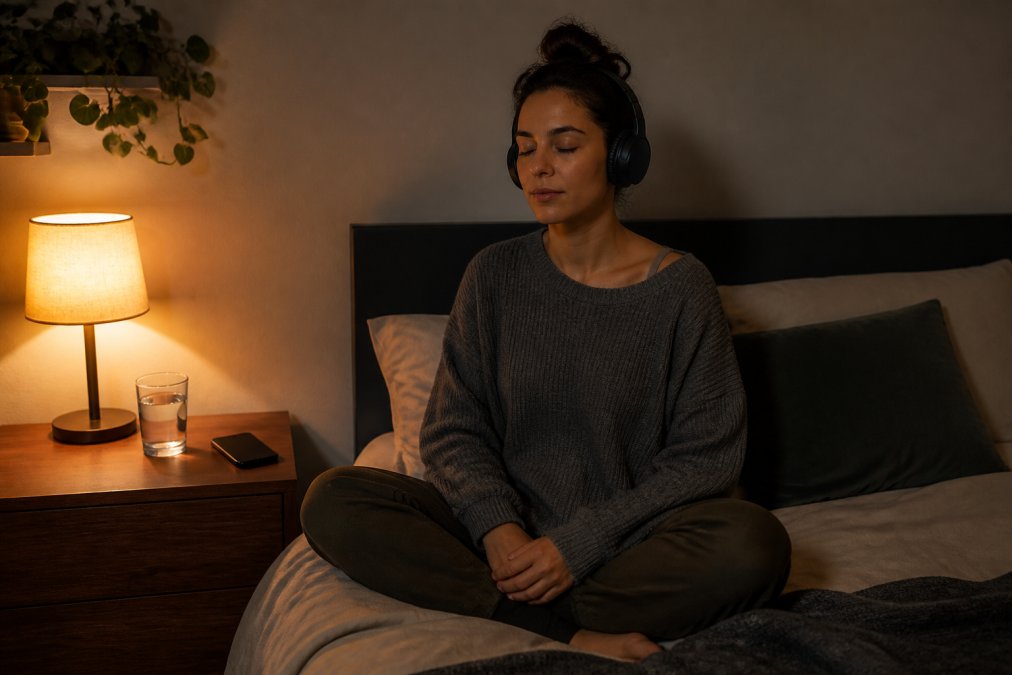
Here is how to assemble yours:
- Pick a base layer. A steady nature recording or ambient drone, played at low volume for the whole session.
- Add a middle layer. A soft instrumental or spoken track that starts ten minutes in and carries the wind-down.
- End with a fade. Choose a track with a natural ending rather than one that loops forever, so your session has a clear finish.
- Lock the order. Same sequence, same time, every night. Consistency is what turns audio into a cue.
- Cap it at 45 minutes. Longer sessions tend to keep you alert rather than settling you.
For the wind-down slot specifically, mood-based browsing beats tag-hunting. Instead of searching for a specific scenario, start from how you want to feel, whether that is calm, curious, or simply distracted from the day. Hush built its catalog around exactly that approach, which makes the evening slot easier to fill than scrolling a giant unmoderated library.
Common Mistakes That Make Relaxing Audio Stop Working
Relaxing audio stops working when it becomes background noise instead of a deliberate cue. The tracks rarely change; the way you use them does. Watch for these patterns.
- Volume creep. Listening slightly louder each night numbs the effect. Keep volume constant.
- Novelty chasing. Switching tracks every night prevents your brain from forming the association.
- Using the same track for sleep and focus. Your brain cannot learn two cues from one sound.
- Ignoring hardware. Cheap earbuds and phone speakers distort exactly the frequencies that make audio calming.
- Skipping the environment. A bright room and a cold cup of coffee will beat any playlist.
- Treating it as a fix-all. Audio supports sleep hygiene and stress reduction; it does not replace them.
If a track that once worked has gone flat, do not replace it immediately. Reset your volume, fix your room, and give it three more nights first.
Most people treat relaxing audio as a search problem when it is really a curation problem. The tracks are everywhere; what is missing is a deliberate sequence, honest hardware, and a platform that respects both your privacy and the people who made the sound. Hush was built for exactly that: a curated, ad-free library of independent audio fiction you can filter by mood rather than rigid tags, refreshed weekly, with 70% of subscription revenue going straight to the writers and voice actors. One flat monthly fee, cancel whenever. Start listening free and build a wind-down routine that actually holds.
Frequently Asked Questions
What are the best platforms for finding relaxing audio?
It depends on what you want. For sleep and focus, look for apps with long, loopable tracks and adjustable mixes. For spoken or story-based relaxation, a curated subscription service usually beats a free library because the audio is edited and ad-free. Whichever you pick, check three things first: whether you can download tracks for offline listening, whether the app shows a clear privacy policy, and whether new content is added on a schedule you can rely on.
How do I know if relaxing audio is actually working for stress relief?
Run a simple two-week test. Pick one track and listen at the same time each evening for 10 minutes. Rate your tension from 1 to 10 before and after each session. If your after-score drops by two or more points on most nights, the audio is doing something for you. If nothing changes, switch the format (nature sounds to instrumental, or instrumental to spoken word) and repeat. Personal response varies, so your own log beats any general claim.
Is it better to listen to nature sounds or ambient music for relaxation?
Nature recordings tend to work well for masking background noise, since steady rain or surf covers traffic and neighbor sounds without a melody to follow. Ambient and instrumental music gives your attention something gentle to rest on, which suits people who find pure noise boring. Many listeners use nature sounds for sleep and instrumental tracks for focus. Try one of each for a week and keep the one that shortens the time it takes you to unwind.
Are there privacy concerns when using free audio streaming apps?
Yes. Free apps are often funded by ads, which means listening habits, device identifiers, and sometimes location data get shared with advertising partners. Before you commit, open the app's privacy settings and look for an option to opt out of personalized ads, and check whether your listening history can be deleted. If an app has no privacy policy or buries it, treat that as a signal. A paid, ad-free service removes the main reason your data would be collected in the first place.